
Email and WhatsApp
Email and WhatsApp, next to the client
A real webmail — IMAP, signatures, templates, sequences and tracking. WhatsApp messages alongside. Every conversation stays where it belongs: on the client record.
- Your email account, inside the CRM
- Sequences that stop when the client replies
- Native WhatsApp or via Bitrix24
Inbox
Your email, with context
Connect the account (IMAP/SMTP — Gmail, Outlook, anything) and Plaanly shows the inbox with every email linked to the right contact and lead. Reply from here, with signature and templates. Nothing is copied out of your email server.
- IMAP/SMTP with any provider
- Emails linked automatically to the contact and the lead
- Templates with variables and per-user signatures
Sequences
Follow-up you don't forget to do
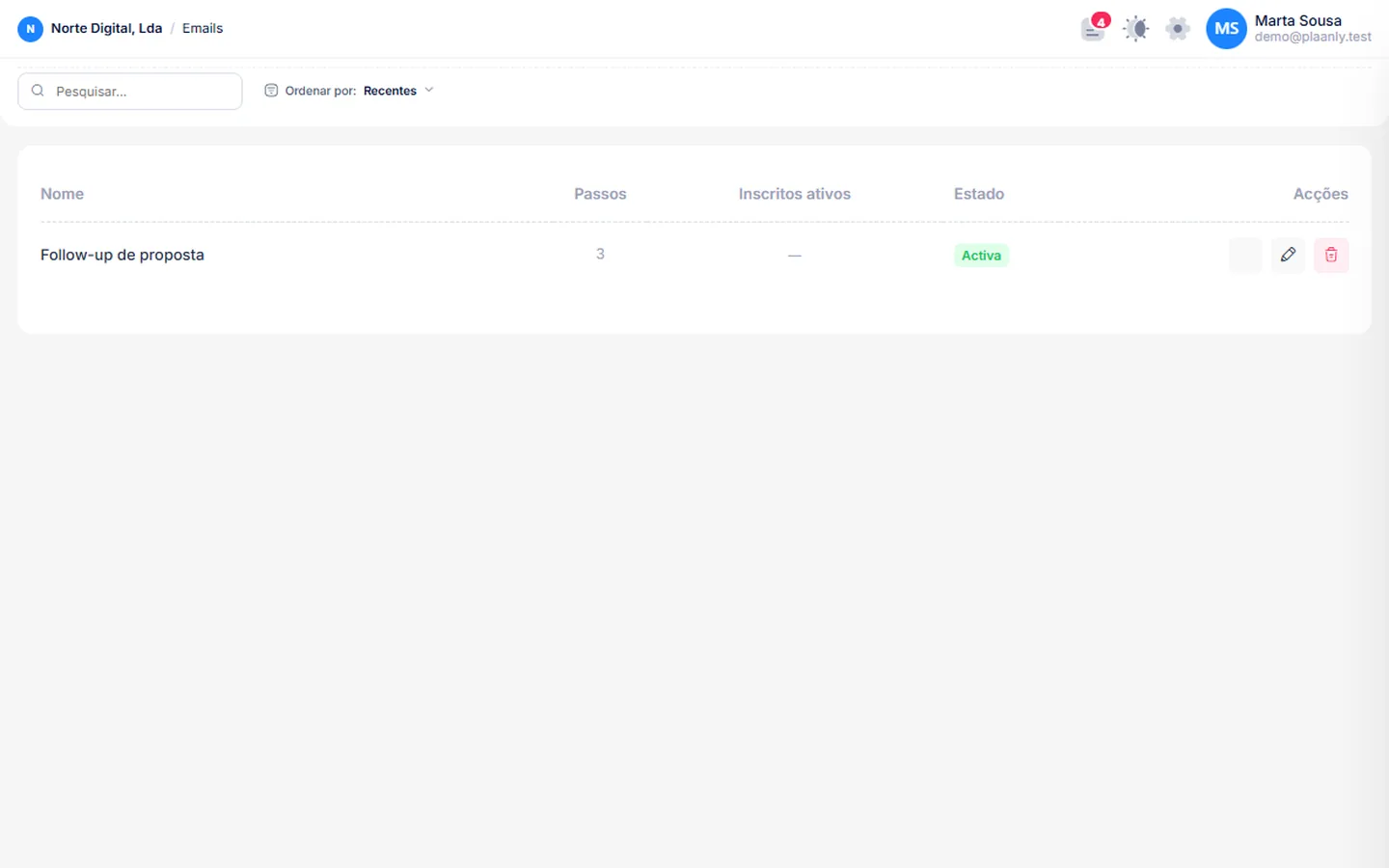
Define the steps — day 0, day 3 if not opened, day 7 if no reply — and put contacts in the sequence. It stops on its own when the client replies or the lead turns to won. Unsubscribe and per-campaign suppression included.
- Steps with conditions (opened / replied)
- Automatic stop on reply
- Unsubscribe, suppression and sending limits
WhatsApp conversations on the same record
Native WhatsApp connection for client conversations, or the Bitrix24 connector for teams already on that platform. Messages show up in the contact feed next to emails and calls.
- Conversations linked to the CRM contact
- Bitrix24 connector for teams already there
- In-app notifications for new messages
FAQ
Questions about email and WhatsApp
Does Plaanly store my emails?
It syncs over IMAP to show them and link them to contacts. Your mailbox stays with your provider; disconnect the account and the link goes away.
Does it work with Gmail and Outlook?
Yes — any account with IMAP/SMTP.
Is this an email marketing tool?
No. It's for 1:1 sales follow-up and small sequences. For mass newsletters, use a dedicated tool.
Do I need Bitrix24 for WhatsApp?
No. There is a native connection. The Bitrix24 connector exists for teams that already have their conversations there.
How does open tracking work?
Via pixel and rewritten links. You can turn it off per email or per account.
Shall we put your company in one place?
Tell us what you're using today. We'll show you how it looks in Plaanly.