
Projects and tasks
From “won” to delivered, nothing copied
Convert a lead into a project. Kanban, sprints and timeline for the team; costs, hours and margin for whoever manages. All in the same place where the client lives.
- Kanban, sprints and timeline
- Costs, hourly rate and live margin
- Google Docs per task
Tasks
A board the team keeps on its own
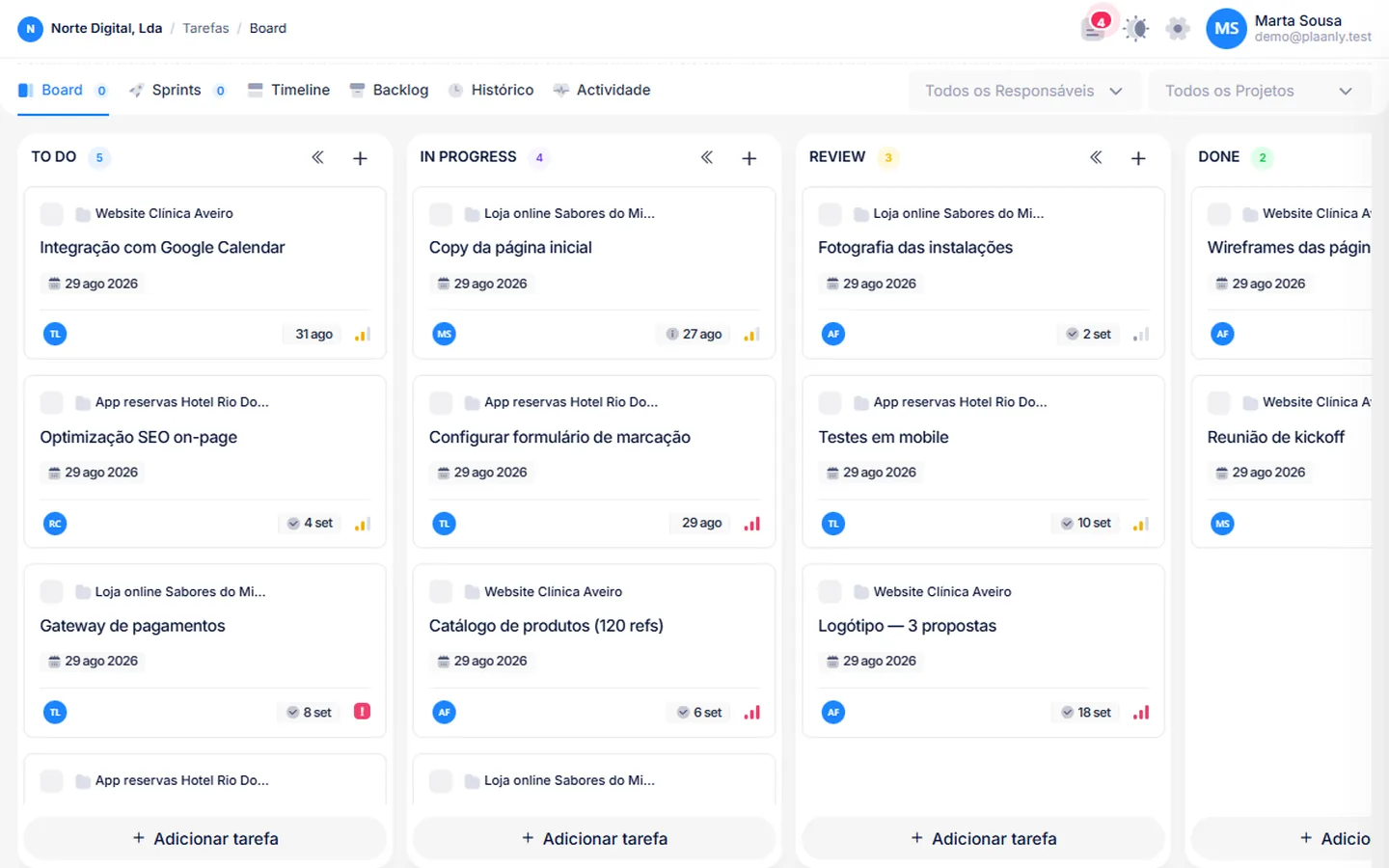
Columns by status, priority, owner and due date on every card. Subtasks, checklists, comments and attachments. Drag between columns — and the rest of the team sees it in real time, no refresh.
- Real-time kanban for the whole team
- Subtasks, checklists, labels, due dates
- Backlog and sprints for teams working in cycles
Timeline
The whole plan in one view
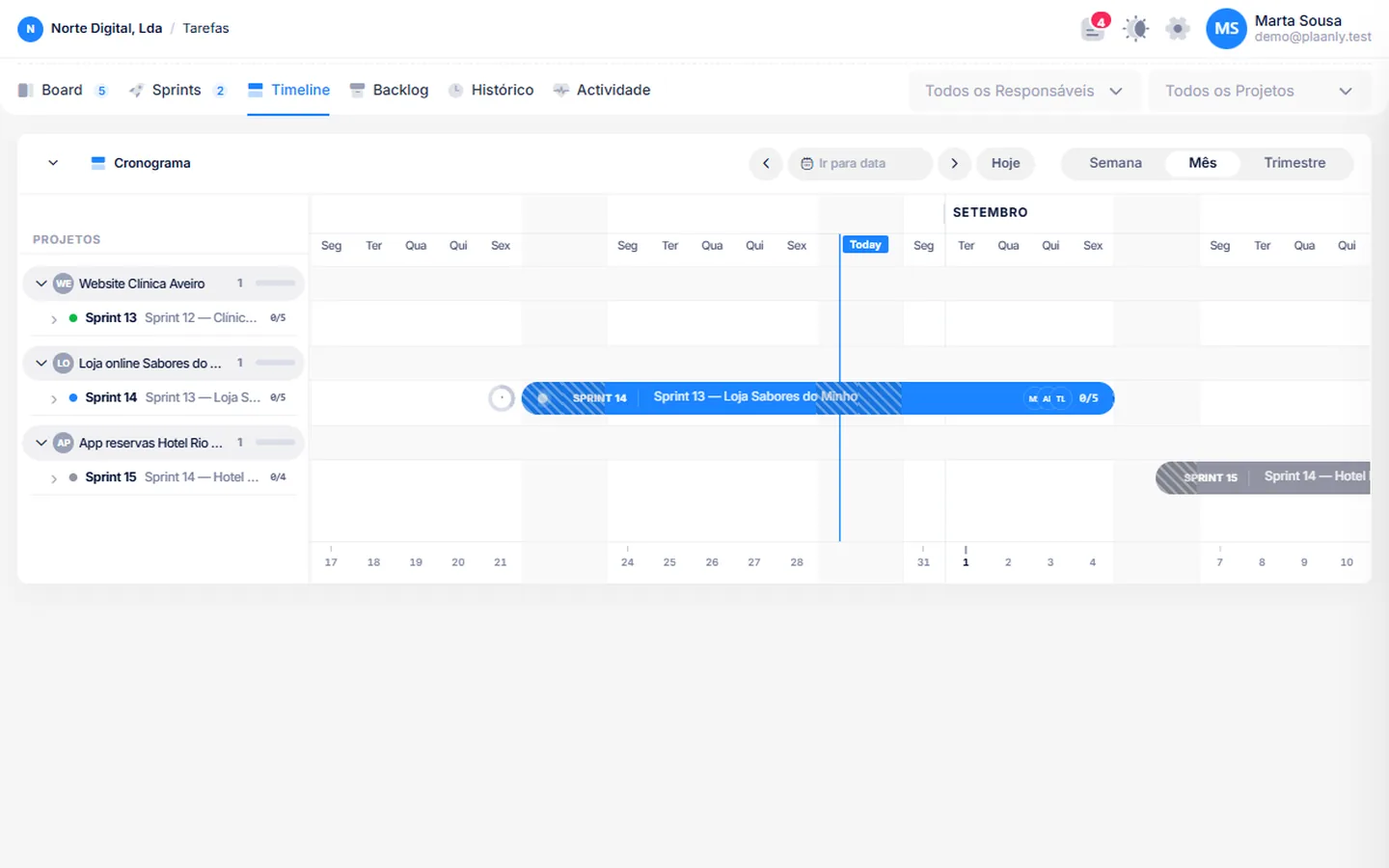
Every task with start and end on a per-project timeline. See dependencies, who is overloaded and what will slip before it slips.
- Timeline per project and per person
- Sprints with goal and capacity
- History of everything that changed
Costs
Know if the project makes money, today
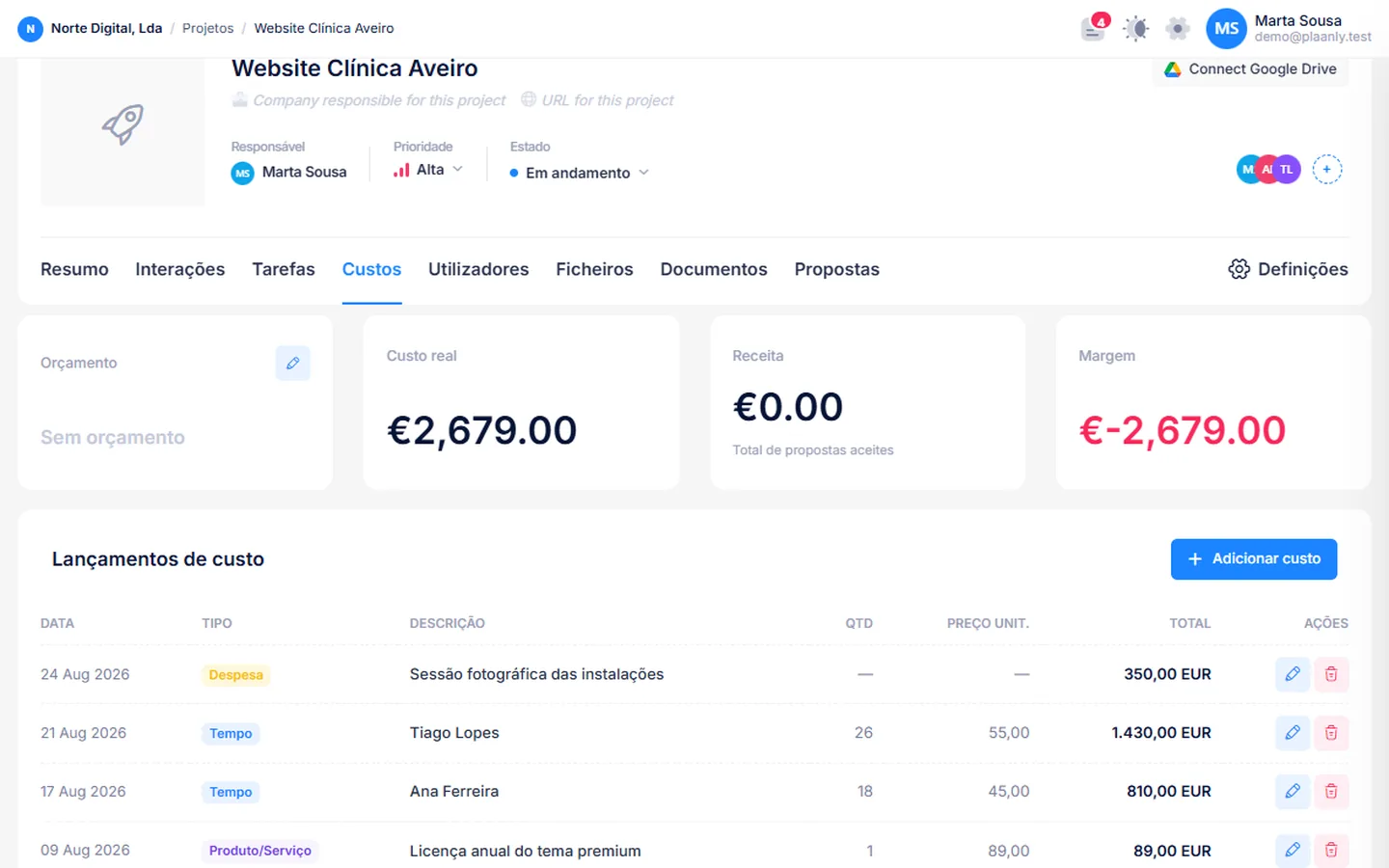
Cost catalogue, hourly rate per person and a timer on tasks. Margin is calculated live against the accepted proposal value. No parallel spreadsheet at month end.
- Hour timer on tasks
- Cost catalogue and hourly rate per employee
- Real-time margin vs. sold value
FAQ
Questions about projects
Does it work for teams that don't do sprints?
Yes. Sprints are optional — the kanban and timeline work on their own.
Can clients see the project?
There is no client portal yet. What the client sees is the public proposal and the emails you send.
Can I link Google Drive files?
Yes. Each project and task can have Google Docs attached, created or linked from Plaanly.
Does the timer feed payroll?
The timer feeds project costs. Payroll is independent.
Is there a project limit?
No.
Shall we put your company in one place?
Tell us what you're using today. We'll show you how it looks in Plaanly.